Skip to content
999fd Sports / Casino
LIVE LOBBY

999fd — Live Tables, Slots and Cricket Betting in One Place

CQ9, PG Soft and Habanero titles sit alongside live dealer tables and a sportsbook that keeps cricket front and centre — all reachable after a single account login. Deposits through Nagad, Upay or Bank Transfer are handled directly from your account wallet, and availability depends on your local law and eligible region.

bKash Nagad Rocket
Browse games
CONTENT / 01

What Waits Inside After You Log In

When you reach the authenticated home screen, the lobby splits into clear category rails. Live casino sits at the top — Baccarat Grand and Baccarat Casino24 are the tables we see opened first by new accounts. Below that, the slots rail carries titles from CQ9, JDB and Habanero, with Makran Coast Slots and Barisal Crash Arena showing up in the most-visited row. The sportsbook tab is one tap away, and cricket markets — international fixtures, BPL rounds — load under it. Blackjack PlayZone is visible in the table-games section for those who prefer card play over live dealer. Every category is accessible from the same navigation bar, so you are never more than two taps from a different room.

DISCOVER / 01

Choose your game

Full lobby
CONTENT / 02

Slots, Live Casino and Table Games Inside the Lobby

The game lobby covers slots, live casino tables and table games across studios including CQ9, JDB, Microgaming, PlayStar, Habanero and PG Soft. Browse by category or scroll the horizontal discovery rail to see what is currently active — the live casino section and slot rooms update based on what is running, and the current state of each room is visible from the lobby without needing to open individual titles first.

GAME NETWORK
CQ9
JDB
Microgaming
PlayStar
Habanero
PG Soft
CONTENT / 04

999fd lobby studios

The 999fd lobby carries content from CQ9, JDB, Microgaming, PlayStar, Habanero, PG Soft. To check the studio, rules or features of one specific game, open that game card or the published information panel.

  • CQ9

  • JDB

  • Microgaming

  • PlayStar

  • Habanero

  • PG Soft

ACCOUNT DASHBOARD

Check What Is Running from Your Account

Any information or gameplay tied to your account is shown on your account dashboard after login — not advertised in advance on this page, because availability varies by account status and region. Once you are logged in, the dashboard panel shows the current state of any offer linked to your profile. If you see a gameplay symbol or prize round triggered inside a game, the amount won is added straight to your wallet and reflected in your balance row at the top of the screen.

Login
LOCAL PAYMENTS

Nagad, Upay and Bank Transfer for Your Account Wallet

Your account wallet connects to Nagad, Upay and Bank Transfer as the verified deposit rails for Bangladesh accounts. To start a deposit, go to the wallet section of your account after login and select the method you use. Each method shows its own minimum amount, any field instructions, and the reference number format required — follow exactly what is displayed on that screen, because the system matches your deposit to your account using those fields. Nagad and Upay deposits are processed through the mobile wallet flow you already know from everyday use; Bank Transfer follows the bank reference steps shown in the deposit form.

  • Nagad

  • Upay

  • Bank Transfer

  • bKash

Banking
999FD
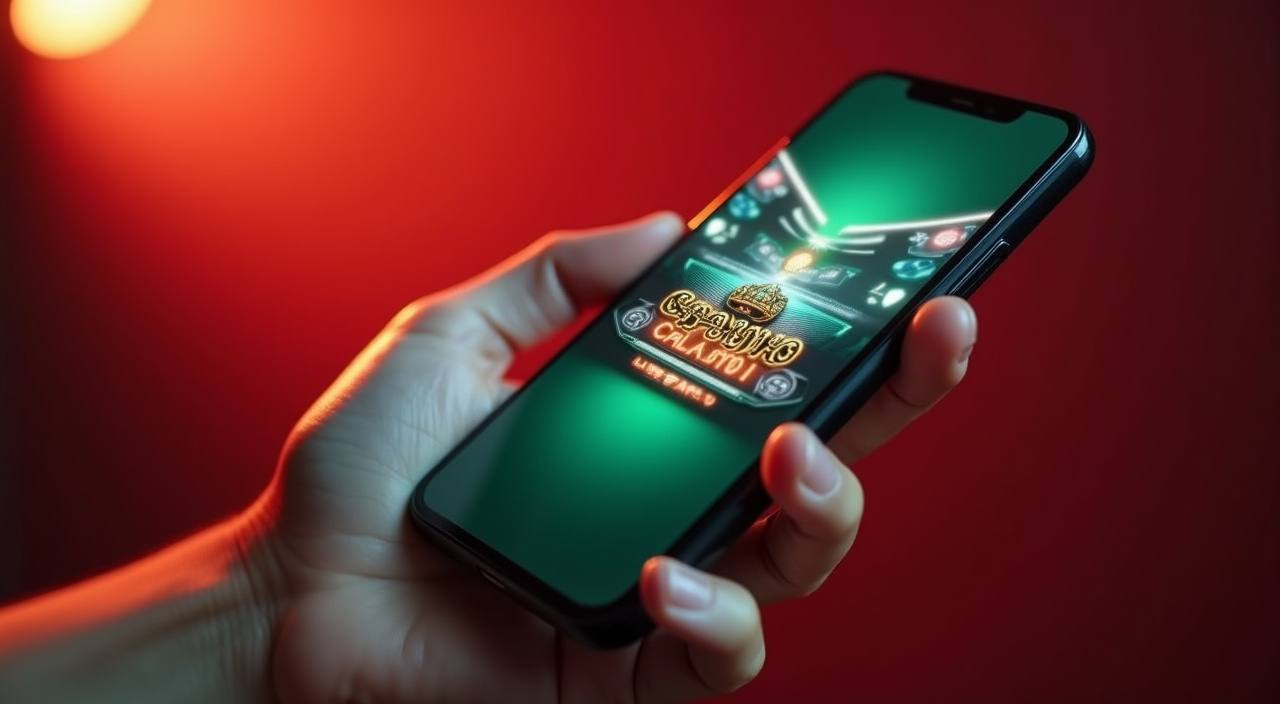
Mobile casino lobby
Popular Live Slots
Baccarat Grand Makran Coast Slots Football SuperGoal
MOBILE LOBBY

Built for phones, clear on desktop

Cards, tables, FAQ and policy pages stay easy to read on smaller screens.

  • Quick categories
  • Mobile first
  • Access
App
CONTENT / 03

How the Home Screen Behaves on Your Phone

On a phone screen, the 999fd home page organises into a vertical stack of category rails rather than a grid. The live casino row loads at the top with table thumbnails — Baccarat Grand and Baccarat Casino24 are the first two cards visible without scrolling. Swipe right on the slots rail to move through Habanero and PG Soft titles; the rail does not require a full page reload between swipes, so browsing stays quick.

  • Live Casino Rail

    Baccarat Grand and Baccarat Casino24 load at the top of the mobile home screen without scrolling. Swipe left on the rail to see more live tables from Microgaming and PlayStar, and tap any card to open the table directly. The rail refreshes to show currently active tables rather than a static list.

  • Slot Discovery Rail

    The slots rail on mobile shows CQ9, JDB and Habanero titles in a horizontal swipe row. Makran Coast Slots and Barisal Crash Arena appear early in the row. Each card shows the studio name and whether a feature round is part of the game — tap to open the title or hold to see a brief description before entering.

  • Wallet Chip on Scroll

    Your account balance stays pinned at the top of the screen as you scroll through the lobby. Tap the chip to go directly to the deposit flow — Nagad, Upay and Bank Transfer options appear on the next screen. You do not need to navigate away from the lobby to check or update your wallet balance.

  • Bottom Navigation Bar

    Home, Casino, Sportsbook and Account are the four tabs in the bottom navigation bar. Switching between live casino and the cricket sportsbook is one tap, and your scroll position in each tab is saved until you close the session. Account help is accessible from the Account tab without a separate login step.

SELECTED TITLES

Games the Lobby Puts Forward on Your First Visit

The home screen surfaces specific titles in the spotlight row based on what is currently active in the lobby. Football SuperGoal appears in the sports-adjacent slot section — it is a crash-and-goal format title from the slots catalogue, not a live sports feed. Barisal Crash Arena sits in the crash-games section and uses a multiplier-climb mechanic where you decide when to collect before the round closes. Blackjack PlayZone is in the table-games room for accounts that prefer a card game with decisions per hand rather than a reel spin.

  • Barisal Crash Arena

    A multiplier-climb crash title where the round closes at an unpredictable point. You set your target or cash out manually before the round ends. The current round result and your session history are both visible on the same screen, and the amount collected goes directly to your account wallet after each round.

  • Football SuperGoal

    A slots-catalogue title with a football match format on the reels. Bonus rounds are triggered by goal symbols landing in the right positions across active lines. RTP and volatility information is shown on the game's own detail screen where the studio supplies it — check there before you start the session.

  • Makran Coast Slots

    A multi-line reel slot from the lobby with scatter-triggered bonus rounds. The bonus round opens a second reel set with a different symbol layout. Feature spin results are added to your wallet at the end of the bonus sequence. The studio name and game version are shown on the game info screen inside the lobby.

  • Baccarat Grand

    A live dealer baccarat table with a real dealer on screen and standard baccarat rules — Player, Banker and Tie bets are available each round. Table limits are shown before you enter the room. Your bet history for the session is visible in the table interface, and winnings settle to your wallet at the close of each hand.

FIRST SESSION STEPS

From Account Open to First Deposit in Four Steps

Starting your first session on 999fd follows a short, defined path. Step one: open the account registration page and fill in the fields shown — name, phone number, and a password you choose. Step two: verify your account using the confirmation step displayed after registration; the method shown depends on your account type and what the system requests.

  1. Open Your Account

    Go to the account registration page and complete all fields shown — the form tells you exactly what is needed at each line.

  2. Confirm Your Account

    Complete the verification step the system shows after registration. Follow the on-screen instruction — the method shown depends on your account type.

  3. Make Your First Deposit

    Open the wallet section, choose Nagad, Upay or Bank Transfer, and follow the field instructions and reference format shown on the deposit screen exactly.

  4. Enter the Lobby

    Once your balance updates, go to the home screen lobby and open the category you want — live casino, slots or the cricket sportsbook is one tap from the navigation bar.

MEMBER DESK / 06

Offers, support and account controls

01

Game lobby

02

Payment guide

03

Support

ACCOUNT HELP

Where to Get Help During Your First Session

Account help is built into the platform and accessible without leaving your session. The profile icon at the top of the screen opens the account section, which includes a help area covering deposits, withdrawals, login issues and lobby navigation. If you run into a Nagad or Upay deposit that has not reflected in your balance, the transaction help page inside account settings walks through the reference-check steps. For questions that need a live response, the support chat is accessible from the help section — it connects you to the support team who handle Bangladesh accounts.

  • Account Help Section

    Access from the profile icon on any screen inside your session. Covers deposit steps, withdrawal status, login issues and lobby navigation questions. Transaction records for Nagad, Upay and Bank Transfer are visible here, and the reference-check tool helps trace deposits that have not yet reflected in your balance.

  • Live Support Chat

    Reach the support team directly from inside the account help section. The chat handles Bangladesh account queries including wallet issues, verification steps and lobby access. Current availability hours are shown inside the help section — check there rather than assuming around-the-clock access, as hours may vary.

  • In-Lobby FAQ

    The FAQ section at the bottom of the home screen addresses the most common first-session questions — Nagad deposit steps, how to switch between lobby categories, what happens when a session times out, and how to find your transaction history. Read through it before opening a support chat to save time.

TRUST / 03

Controls Available Inside Your 999fd Account

Account controls are accessible from your profile section after login. You can review your session history, check your transaction records for every Nagad, Upay or Bank Transfer deposit and withdrawal, and update your account details from the same area. The wallet section shows a running record of credits and debits so you can track your activity without needing to contact support. Access to games and betting depends on your local law and the eligible region confirmed at registration — if your region is not supported, the system will indicate this during account setup rather than after your first deposit.

  • Transaction History

    Every deposit and withdrawal — Nagad, Upay or Bank Transfer — is recorded in your wallet history and accessible from the account section after login. You can review amounts, dates and status for each transaction without contacting support. Use this record to reconcile any deposit that has not yet appeared in your balance.

  • Session Activity Record

    Your account keeps a log of game sessions and betting activity accessible from the profile section. Reviewing this record helps you track how long you have been active and which lobby areas you have used. The record is there for your reference whenever you need it — no time limit applies to viewing past session data.

  • Account Security Settings

    Your login credentials and verification status are managed from the account security section. Update your password from there if needed. The verification step completed at registration is linked to your account profile; if you need to re-verify or update your details, the account settings panel shows the steps required.

  • Region and Access Status

    Access to the lobby and its categories is subject to your local law and the eligible region confirmed at registration. Your account status — including any access restrictions — is shown in your profile section. If your region becomes unsupported after account creation, this status section is where the system communicates that change.

Learn more →
PLAYER INDEX / 07

Common Game Mechanics Explained Simply

These are plain explanations of the game mechanics you will encounter across the 999fd lobby — not promises or offers, just definitions of how each game type works so you enter each session with a clear idea of what is happening on screen.

Player guide and glossary
  • What is a bonus round in a slot game?

    A bonus round is a separate game phase triggered by specific symbol combinations on the reels — for example, scatter symbols in Makran Coast Slots. During a bonus round the reel layout or symbol values often change, giving a different set of outcomes compared to the base game. The frequency and type of bonus round are described on each game's own info screen inside the lobby, where the studio supplies that data.

  • How does a crash game work?

    In a crash game like Barisal Crash Arena, a multiplier climbs from the start of the round and stops at an unpredictable point determined by the game's outcome engine. You choose when to collect during the climb; if you wait past the stop point, the round closes without a payout for that bet. The result of each round is shown on screen immediately, and any amount collected goes to your wallet.

  • What does RTP mean?

    RTP stands for Return to Player — it is a percentage figure published by the game studio indicating the theoretical long-run payout of a title across many rounds. We show RTP only where the individual game or studio makes that figure available inside the game interface. We do not publish figures the provider does not supply, and a single session result will not match the theoretical long-run figure in any predictable way.

  • What is a jackpot in a slot game?

    A jackpot is the top prize a slot game can pay out, typically hit on a rare winning combination defined in the game rules. Not every slot has a jackpot mechanic — it depends on whether the studio built one into the title. Where a jackpot exists, the conditions and prize structure are described on the game's own detail screen. Any jackpot amount won is credited directly to your account wallet.

  • What does 'Player' and 'Banker' mean in Baccarat?

    In Baccarat Grand and Baccarat Casino24, Player and Banker are the two main bet positions in each hand — they refer to the two card hands dealt on the table, not to you or the dealer personally. You bet on which hand you think will finish closer to nine, or on a Tie result. Baccarat rules are fixed; the dealer follows a defined draw rule, and your job is to choose the bet position before the hand is dealt.

  • What is a scatter symbol?

    A scatter symbol is a reel icon that triggers a game effect — usually a bonus round or feature spin sequence — when a set number appear on screen, regardless of which positions they land on. In Makran Coast Slots, scatters activate the bonus round described on the game info screen. Scatter behaviour varies by title, so check the rules shown inside the game before your session.

Full glossary
LOBBY / 02

One mobile lobby, distinct game areas

Baccarat Grand Live Baccarat Grand Access → Makran Coast Slots Slots Makran Coast Slots Access → Football SuperGoal Sports Football SuperGoal Access → Barisal Crash Arena Slots Barisal Crash Arena Access → Baccarat Casino24 Live Baccarat Casino24 Access → Blackjack PlayZone Live Blackjack PlayZone Access →
EXPLORE FURTHER / 04

Explore detailed guides

Local lobby check

QUICK ANSWERS

Frequently asked questions

The questions below cover what new accounts ask during their first session — registration, deposits, lobby navigation and account controls. If your question is not here, the account help section inside your profile has additional step-by-step guidance.

Read FAQ →
How do I open an account on 999fd?

Go to the account registration page on 999fd and fill in the fields shown — name, phone number and a password. After submitting, complete the verification step the system displays. The exact verification method depends on your account type and what the system requests at that stage. Once verified, your account is active and you can go to the wallet section to make your first deposit. Access depends on your local law and eligible region.

Which payment methods can I use to deposit?

Nagad, Upay and Bank Transfer are the verified deposit rails for Bangladesh accounts on 999fd. bKash is also listed — check the deposit screen after login for current availability on your account. To deposit, open the wallet section after login, select your method, and follow the on-screen field instructions exactly, including the reference number format. Each method's minimum amount and steps are shown on the deposit screen before you confirm.

My Nagad deposit has not appeared in my balance — what should I do?

First, check your Nagad transaction history to confirm the transfer completed from your end. Then open the wallet section in your 999fd account and use the transaction help tool inside account settings — it lets you check the reference number against the deposit record. If the reference was entered correctly and the deposit still does not appear after the time shown on the deposit screen, open the support chat from the account help section with your transaction reference ready.

Where do I find cricket betting on the home screen?

Cricket betting sits inside the sportsbook tab, which is one tap from the bottom navigation bar on the home screen. The sportsbook loads cricket markets — including international fixtures and BPL rounds — under the cricket category. We do not fabricate odds or match results; prices and fixture availability are shown live inside the sportsbook based on what is currently available. Availability depends on your region and local law.

Can I switch between a phone browser and another device mid-session?

Yes — your account session is tied to your login, not your device. If you close the phone browser and log in again on a different screen, the lobby opens at the home screen and your wallet balance carries over. Game sessions that were open when you switched will need to be reopened from the lobby. Your transaction history and account settings are the same regardless of which device you use to log in.

Where can I see what offers are active on my account?

Any information linked to your account is shown on your account dashboard after login. We do not advertise specific offers on this page because availability varies by account status and region. Log in and open the dashboard panel to see the current state of anything tied to your profile. The dashboard also shows your wallet balance and recent transaction records — everything relevant to your account in one place.

How do I access account help if I have a problem?

Tap the profile icon from any screen inside your session to open the account section — the help area is inside there. It covers deposit issues, withdrawal steps, login problems and lobby navigation. For questions that need a direct answer, the support chat is accessible from the help section and handles Bangladesh account queries. Current support availability hours are shown inside the help section itself; check there for the live window rather than assuming continuous access.

What happens when my session times out?

If your session times out due to inactivity, the lobby will ask you to log in again. Your account data, wallet balance and transaction history are all preserved — a timeout only ends the active browser session, not your account. Any game you had open before the timeout will need to be reopened from the lobby after you log back in. Your Nagad, Upay or Bank Transfer deposit records remain visible in the wallet section after you re-authenticate.

READY WHEN YOU ARE

999fd game lobby

Access may be available only where local law permits.

Register Login